top of page

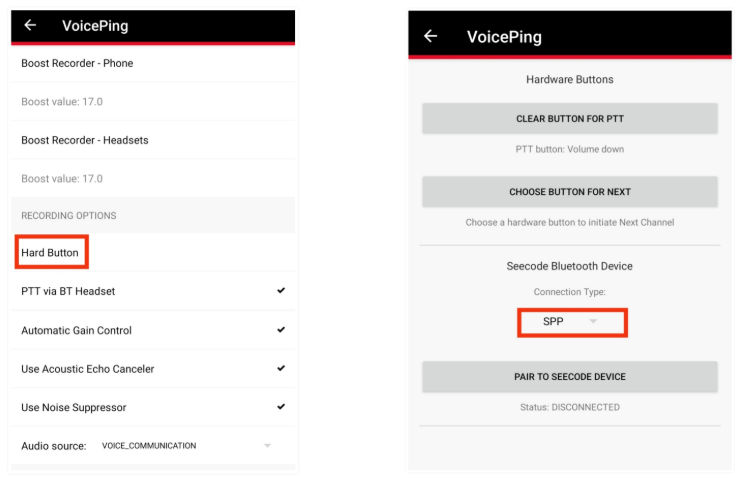
How to Change from and to SPP or BLE

  1. Once you successfully connecting VoicePing with your Bluetooth device, open VoicePing app.

  2. Tap three dots on right upper corner and choose "Settings"

  3. Scroll down until you find "Hard Button"

  4. Click on Connection Type and you can switch to SPP or BLE easily


Recent Posts

See All
How to Turn Off Airplane Mode

In order to turn off the Airplane Mode, you will need to go to the phone settings and disable the Airplane Mode from there. Please following the below section to turn off the airplane mode: 1. Please


Comments


bottom of page